flip updates and news
September 29, 2026
🧮 Formulas in tables
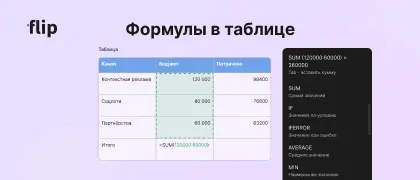
We've upgraded tables with formulas, adding some popular functions and the basic operators. To start a formula, just type = in an empty cell
➕ Functions:
🟠 SUM (including AutoSum)
🟠 AVERAGE
🟠 MIN
🟠 MAX
🟠 COUNT
🟠 IF
🟠 IFERROR
🔣 Operators and syntax:
🟠 = + - * / ^ : ; < > "" ( )
🟠 $ or F4 to lock a value in a formula
➡️ On top of that, a cell can now link to any object on the board — and vice versa, any object can link to any table cell
➕ Functions:
🟠 SUM (including AutoSum)
🟠 AVERAGE
🟠 MIN
🟠 MAX
🟠 COUNT
🟠 IF
🟠 IFERROR
🔣 Operators and syntax:
🟠 = + - * / ^ : ; < > "" ( )
🟠 $ or F4 to lock a value in a formula
➡️ On top of that, a cell can now link to any object on the board — and vice versa, any object can link to any table cell
September 24, 2026
🧜♀️ Mermaid diagrams
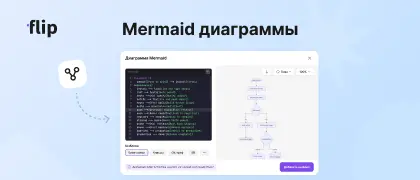
Drawing flowcharts and diagrams has never been this easy. Thanks to AI agents and Mermaid, which builds diagrams from code, you can get a finished diagram in 30 seconds
With our new tool, you can either paste existing code or write your own, then add the result to the board for further use
What's more, you can edit any diagram and change its theme or direction
You can also insert a finished diagram into a document, and an AI agent will draw it for you via MCP
With our new tool, you can either paste existing code or write your own, then add the result to the board for further use
What's more, you can edit any diagram and change its theme or direction
You can also insert a finished diagram into a document, and an AI agent will draw it for you via MCP
September 22, 2026
📲 Mobile app
Big news — flip now fits in your pocket!
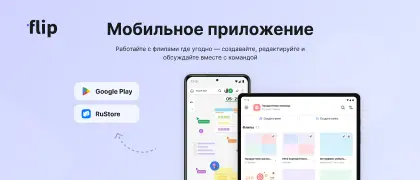
We've worked long and hard to get here, and we're finally ready to introduce our native mobile app for iOS and Android
On tablets you get the full feature set, while on phones we had to trim it down
For now, though, you can only download it from Google Play and RuStore. The app will be available on the App Store a little later
We've worked long and hard to get here, and we're finally ready to introduce our native mobile app for iOS and Android
On tablets you get the full feature set, while on phones we had to trim it down
For now, though, you can only download it from Google Play and RuStore. The app will be available on the App Store a little later
September 10, 2026
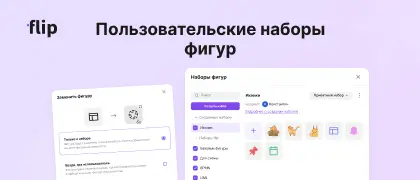
🔷 Custom shape sets
You can now upload your own sets of shapes and SVG images right into the main shape list
You can:
🟠 Create as many sets as you like, with up to 100 shapes in each
🟠 Make them private (for personal use) or public for all space members
🟠 Rename shapes and export sets
🟠 Replace shapes you've already added
You can:
🟠 Create as many sets as you like, with up to 100 shapes in each
🟠 Make them private (for personal use) or public for all space members
🟠 Rename shapes and export sets
🟠 Replace shapes you've already added
September 1, 2026
🧩 Embed your board via iFrame
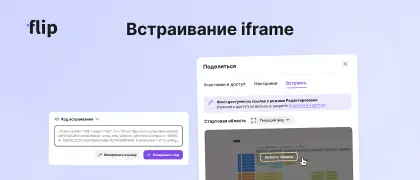
Now you can embed a board into any external service that supports embeds and keep working with it there (view, comment, or edit)
To do this, open Share and go to the new Embed tab. Set the start area for viewing the board and copy the link or the embed code
⚠️ Keep in mind that an embedded board inherits the public link's permissions
To do this, open Share and go to the new Embed tab. Set the start area for viewing the board and copy the link or the embed code
⚠️ Keep in mind that an embedded board inherits the public link's permissions