How to set up a workspace in virtual whiteboards
Whiteboard
For business
2 min read
April 18, 2025
Virtual whiteboards have become an integral part of modern collaboration, giving teams flexible and effective tools for organizing tasks, sharing ideas and making decisions together. Setting up the workspace in these boards properly has a major impact on productivity and on how comfortably participants work together.
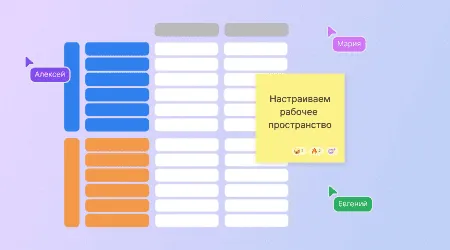
Online whiteboards are digital platforms that let teams work on projects together, organize tasks and share information in real time. They provide a central place to store and manage data that can be accessed from anywhere in the world.
Setting up the workspace in virtual whiteboards properly plays a key role in making a team more effective. It simplifies processes, improves communication and keeps tasks transparent, which ultimately leads to successful projects.
What a workspace in virtual whiteboards is and why you should set it up
A workspace in virtual whiteboards is the environment where a team interacts, shares ideas and manages tasks. It includes various elements, such as boards, lists, cards and members, which can be configured to fit the needs of the project and the team.
Customizing the workspace lets you adapt the tools to your team's specific requirements, making work convenient and efficient. This includes organizing tasks, managing access and integrating with other services, all of which keeps the workflow running smoothly.
Key elements of a workspace
Boards and projects: Creating separate boards for different projects or team tasks helps structure the workflow. For example, in Trello you can create a board for each project and manage it with various features.
Lists and cards: Organizing tasks with lists and cards helps you break work down into details and track progress. Cards can contain a task description, due dates, owners and other important details.
Labels and color codes: Labels and color codes let you quickly identify a task's priority, status or category. This makes the board easier to read and tasks easier to manage.
Members and roles: Adding team members and assigning them roles with specific access rights helps distribute tasks effectively and keep track of their completion. In Trello and flip, for example, administrators can manage members and their access rights.
Integrations and enhancements: Connecting additional tools and plugins extends the functionality of virtual whiteboards. For example, integration with calendars, email services or other apps lets you centralize information and improve your workflow.
How to optimize your workspace for productivity
Set up access rights: Defining access levels for members keeps information secure and prevents unauthorized changes. In Trello and flip, administrators can configure access rights for each workspace member.
Use templates: Ready-made templates for tasks, projects or processes speed up workspace setup and help standardize work. Many virtual whiteboards offer a variety of templates for different purposes.
Automate processes: Automatic actions such as reminders, status updates or task assignment reduce the team's workload and increase efficiency. For example, automation features are available to simplify workflows.
Audit and update regularly: Periodically reviewing and adjusting workspace settings as your team's needs change keeps your tools relevant and effective.
Practical tips and recommendations
Transparency and visibility: Making information available to all team members helps everyone better understand tasks and goals, and improves communication.
Training and support: Running training sessions on using virtual whiteboards and providing self-study resources helps the team make full use of the tool.
Feedback and adaptation: Collecting user feedback and making changes based on it lets you improve the workspace and adapt it to your team's evolving needs.
Setting up the workspace in virtual whiteboards properly is key to effective and productive teamwork. It lets you adapt the tools to the specific needs of a project, improve communication and increase overall efficiency. Applying the recommendations above will help you create an optimal workspace that helps you reach your goals and complete projects successfully.
Authors

flip
Team