Key features of interactive whiteboards
Whiteboard
Case studies
Templates
2 min read
April 4, 2025
Interactive online whiteboards are an important tool for effective work. They let people from all over the world collaborate on projects, share ideas and organize workflows. In this article, we take a detailed look at the key features of interactive whiteboards that make them convenient and useful for different kinds of work.
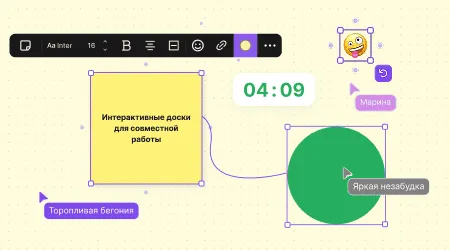
Key features of interactive whiteboards
Creating and editing content
One of the most important features is the ability to create and edit content: text notes, sticky notes, diagrams or images. You can write down ideas on the board, leave important notes and mark key points you don't want to forget. All of this is quick and easy — and, most importantly, it happens in real time. In addition, sticky notes and other visual elements help organize information on the board, making it clearer and easier to take in. Users can easily change and update content, which helps keep things in order and stay on top of important tasks.
Real-time collaboration
Interactive whiteboards let several people work on the same project at the same time. All changes are visible immediately, and everyone can add their ideas and comments or edit materials. This is especially useful when you need to discuss something quickly or make an important decision. Editing information in real time speeds up work and makes communication more effective. All participants can see updates and react right away, which helps avoid delays and misunderstandings.
Organizing and structuring information
To keep workflows organized, interactive whiteboards let you create spaces. These are separate areas you can use for different teams, projects or tasks. For example, you can create one space to discuss a particular project and another one to work with clients. Spaces make it easy to sort information into categories and switch between projects. This is especially useful for large teams working on several projects at once. That way, you won't lose important materials and can quickly find the information you need.
Integration with other services
Many interactive whiteboards integrate with various services, so you can bring all your work together in one place. For example, flip boards can sync with CRM systems such as Bitrix24. This is convenient because you can work with tasks and projects without switching between different programs. Integration helps automate workflows and make them better coordinated. You can update task information on the board and sync it with other services, which makes work faster and more convenient.
Authors

flip
Team