Why online whiteboards are a convenient tool for project planning
Whiteboard
For business
Team
2 min read
April 16, 2025
Online whiteboards are part of modern project management, offering flexible and intuitive tools for planning and coordinating teamwork. They let you visualize tasks, track progress and keep processes transparent, which is especially important for remote work and distributed teams.
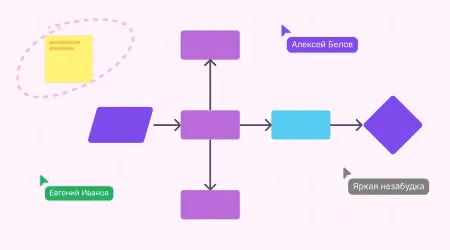
Benefits of using online whiteboards:
Process visualization: a clear visual layout of project tasks and stages helps people understand and take in information better.
Real-time collaboration: team members can make changes, comment and discuss tasks at the same time, which makes interaction faster and more effective.
Flexibility and adaptability: you can customize the board to the specific needs of a project or team, use various templates and integrate it with other tools.
Key online whiteboard tools for planning
Many platforms offer features for effective project planning and management. Let's look at some of them:
Miro: a multifunctional online whiteboard for collaboration, suitable for brainstorming, project planning and prototyping.
Trello: a project management tool based on kanban boards that lets you visualize tasks and the stages of their completion.
flip: a Russian service for team collaboration that provides a space for organizing joint work effectively. flip lets you create teams (up to 30), invite an unlimited number of members and work on projects together without limits.
Comparing the features of each platform:
Miro: rich functionality and support for many integrations; suitable for large teams and complex projects.
Trello: easy to use; convenient for small teams and projects with a clear task structure.
flip: provides a full-fledged collaboration space where you can create teams and invite an unlimited number of members. The simple, clear interface lets you get up to speed quickly and work without limits. Suitable for teams of any size, from corporations to micro-businesses.
Stages of project planning on an online whiteboard
1. Project initiation
Defining project goals and objectives: clearly stating the expected results and key milestones.
Creating a new workspace on the chosen platform: setting up the board to fit the project's needs, choosing templates or creating your own structure.
2. Task breakdown
Dividing the project into main stages and subtasks: detailing the work to make it easier to control and to distribute responsibility.
Using sticky notes, cards or other elements to represent tasks visually: keeping information clear and easy to take in.
3. Assigning owners and setting deadlines
Assigning people to each task: determining who is responsible for completing specific tasks.
Setting deadlines and priorities: scheduling due dates and prioritizing to manage time effectively.
4. Visualizing the workflow
Setting up columns or sections for different stages of task completion (for example, “In progress”, “In review”, “Done”): helps you track progress and identify bottlenecks.
Moving tasks between columns as they progress: keeps task statuses up to date and the process transparent.
Tips for managing projects effectively on online whiteboards
Managing projects effectively with online whiteboards takes more than choosing the right tool: you also need to follow certain practices. Here are key tips to help you optimize your team's work.
Regular updates
Keeping the information on the board up to date is the key to transparent and effective work. Updating task statuses on time, adding new comments and adjusting deadlines keeps all project members informed about the current state of affairs. This helps prevent misunderstandings and delays.Clear structure
A logically organized board makes it easier to navigate and understand processes. Color codes and labels help you quickly identify priorities, task types and owners. For example, kanban boards often use different colors to mark the stages of task completion, which makes progress easier to see and control.Integration with other tools
Connecting the online whiteboard to calendars, email services and other apps makes work more efficient. Integrations let you automate deadline notifications, sync tasks with employees' personal schedules and provide centralized access to the information you need. This is especially important for teams working remotely or across time zones.Team training
Running briefings and providing materials on how to use the chosen platform ensures that everyone works the same way. It's important that every team member understands the tool's features and can use them effectively. Training reduces errors, increases productivity and improves collaboration within the team.
Virtual whiteboards make project planning and management much easier by providing clarity, transparency and efficient teamwork. Tools such as Miro, Trello and flip let you adapt your workspace to the specific needs of a project and team. By following the planning stages and management tips described above, you can significantly boost productivity and reach your goals more effectively.
Authors

flip
Team