Signing up and logging in to the flip online whiteboard: a step-by-step guide
Whiteboard
Team
2 min read
April 21, 2025
The flip online whiteboard is a handy tool for collaboration, brainstorming, planning and visualizing tasks. It is a Russian platform that combines a simple interface with rich functionality. To get started, you need to sign up and log in for the first time. The process is easy, but beginners may have questions. This article provides a detailed step-by-step guide.
Why sign up
Signing up step by step
Logging in for the first time
Possible login issues and how to fix them
Account security
Signing up for flip gives you access to all the features of the online whiteboard:
creating your own boards and templates;
inviting members and collaborating in real time;
storing and editing projects in the cloud;
data protection and saved change history.
Without an account, you can only view public boards: you can't edit them or create your own.
Signing up step by step
To sign up for flip, follow these steps:
Go to the official website: https://flip-chart.ru/en
Click the “Sign up” button in the top right corner.
Enter:
1. your name (or the name of your team/organization);
2. a valid email address;
3. a strong password of your choice.Accept the terms of use and confirm that you're not a robot.
Click “Sign up”.
Go to your inbox and open the email from flip.
Confirm your registration using the link in the email — this is important for security.
Your account has now been created. You can move on to the next step.
Logging in for the first time
To log in to the flip online whiteboard:
1
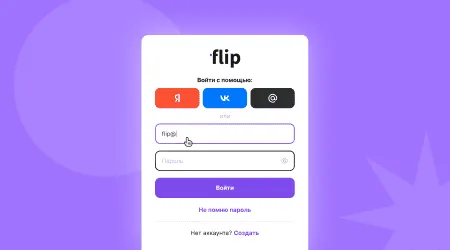
Open https://flip-chart.ru/app/auth/login
2
Enter the email and password you used to sign up.
3
Click “Log in”.
Once you've logged in, you'll land on the main dashboard, where you can create your first board, choose a template or join someone else's project by invitation.
Possible login issues and how to fix them
Sometimes problems come up, especially the first time you log in. Here are the typical ones:
Wrong email or password
Check your keyboard layout and turn off Caps Lock. If you've forgotten your password, click “Forgot password” and follow the instructions.The confirmation email doesn't arrive
Check your “Spam” and “Promotions” folders. If necessary, request the email again.Authorization error
Clear your browser cache or try using a different browser.
If nothing helps, contact flip support (via the form on the website, in the “Help” section).
Account security
flip takes the protection of user data seriously. Still, your security also depends on you. Here are some recommendations:
use a strong password that doesn't contain your name or date of birth;
don't share your credentials with third parties;
turn on two-factor authentication if this feature is available;
log out of your account after working on someone else's device.
Following these rules will protect your account from unauthorized access.
Now you know how to sign up for the online whiteboard, log in for the first time, deal with possible difficulties and keep your account secure. Start with simple tasks: create a test board, try placing sticky notes, dragging elements and inviting a colleague. flip is suitable for both work and study, and even a beginner can master it.
Authors

flip
Team