Creating and editing content on an online whiteboard
Whiteboard
Design
2 min read
April 10, 2025
Interactive online whiteboards have become indispensable tools for effective collaboration and learning. They let users create, edit and visualize content in real time, which is especially relevant for remote work and distance learning. In this article, we take a detailed look at the main features of online whiteboards, including adding different elements, managing objects, customizing their look, commenting and working with content versions.
Contents
Adding sticky notes, notes, text, images, diagrams and files
Moving, scaling and grouping objects
Customizing colors, shapes and layers
Adding comments and annotations
Working with change history and content versions
Tools for visualizing ideas and collaborating
Adding sticky notes, notes, text, images, diagrams and files
Online whiteboards offer a wide range of tools for adding and organizing information:
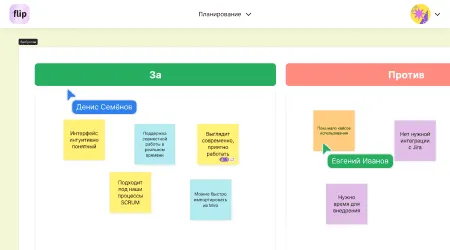
Sticky notes and notes: let you quickly capture ideas, tasks or comments. For example, in Miro, users can create sticky notes in different colors and sizes to structure their thoughts and plan tasks.
Text blocks: are designed for detailed descriptions of concepts or instructions. In Pixso Whiteboard, you can adjust text size, color, outline, style and opacity, which helps highlight key points.
Images and diagrams: visualizing data makes information easier to take in. Canva offers tools for creating diagrams, journey maps and other graphic elements that can be integrated into an online whiteboard.
Files: attaching documents, presentations or other materials keeps all the information you need in one place.
Moving, scaling and grouping objects
Flexible control over objects on the board makes work easier:
Moving: you can place objects anywhere in the workspace and organize information in the way that suits you best.
Scaling: enlarging or shrinking objects helps you examine elements in detail or, conversely, get an overview of the project.
Grouping: combining several elements into a group makes it easier to move and edit them together, which is especially useful when working with complex diagrams or charts.
Customizing colors, shapes and layers
Customizing elements makes content clearer and better structured:
Color palette: changing the colors of objects helps highlight important information and create a visual hierarchy.
Shapes: various geometric shapes help you build diagrams, charts and other graphic elements.
Layers: managing layers lets you stack objects on top of each other, creating multi-layered compositions and simplifying work on complex projects.
Adding comments and annotations
Comments and annotations help participants interact effectively:
Comments: participants can leave remarks or suggestions right on the board, which makes it easier to discuss and refine ideas.
Annotations: highlighting or underlining specific parts of the content helps draw attention to key points.
Working with change history and content versions
Tracking changes and managing versions keeps the editing process transparent and under control:
Change history: shows who made edits and when, which promotes accountability and helps everyone understand how the work is progressing.
Versioning: being able to go back to previous versions of content prevents the loss of important information and lets you analyze how the project has evolved.
Tools for visualizing ideas and collaborating
Modern online whiteboards come with a variety of tools that make visualization and teamwork easier:
Templates: ready-made layouts for different tasks (brainstorming, SWOT analysis, roadmaps) speed up content creation.
Integrations: syncing with other services (for example, Google Drive and Dropbox) makes data sharing convenient and extends functionality.
Real-time collaboration: support for several users working at once lets teams interact effectively wherever they are.
Interactive online whiteboards make planning, learning and project management much easier. With a rich set of tools for creating and editing content, they become indispensable helpers in achieving your goals.
Authors

flip
Team