Virtual whiteboards: start with simple tasks
Whiteboard
Team
2 min read
April 20, 2025
Collaboration is increasingly moving online, and a virtual whiteboard is becoming an indispensable tool. It lets you visualize ideas, organize tasks and work on projects as a team, even when you're in different parts of the world. Beginners are sometimes put off by having to learn new digital tools. In reality, it's much simpler than it seems. The main thing is to start with the basic features.
Why you should try working with virtual whiteboards
Where to start: simple tasks
Tips for beginners: how to make the process even easier
Why you should try working with virtual whiteboards
Virtual whiteboards are convenient because they make it easy to structure thoughts, tasks and plans visually. You see the whole picture in front of you: sticky notes, blocks, arrows, lists — everything is just a click away. This makes the work process transparent and organized.
Benefits:
Simplicity: no need to install any software — most platforms run in the browser;
Convenience for teams: you can work in real time, comment and edit together;
Flexibility: suitable for any task, from planning events to creative sessions.
If you've never used tools like these before, the important thing to understand is that a virtual whiteboard isn't complicated. Learning it starts with small steps.
Where to start: simple tasks
Before moving on to complex projects, try a few basic actions. This will help you get comfortable quickly and feel confident working with the board.
Start with tasks like these:
Create a to-do list: add cards with tasks and move them between the “Planned”, “In progress” and “Done” columns.
Plan a project: visualize the project stages, add notes and divide tasks among participants.
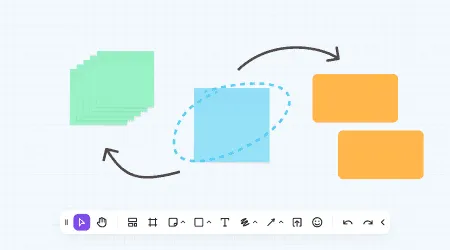
Brainstorm with sticky notes: create sticky notes with ideas, group them, highlight them with color and connect them with arrows.
These actions require no technical knowledge but give you a great idea of what the tool can do.
Tips for beginners: how to make the process even easier
After the first steps, it's important to make the work easier for yourself. Virtual whiteboards offer many features that save time and effort. This is especially relevant for those who are just starting out.
Here are a few useful tips:
Use templates: most services (for example, Miro, flip and Jamboard) offer ready-made templates for different tasks — planning, strategy, retrospectives. They're a great starting point.
Learn keyboard shortcuts: combinations like Ctrl+C/Ctrl+V, the arrow keys for navigation and double-clicking to create an element work almost everywhere. This speeds up your work.
Use access levels: restrict participants' rights (for example, viewing without editing) to avoid accidental changes.
Export the result: you can save the board as a PDF or PNG, which is handy for reports and presentations.
A virtual whiteboard is neither complicated nor scary. Just give it a try, and you'll see how convenient it is to keep all your tasks and ideas in front of you. Start small, don't be afraid to experiment, and soon you'll be using this tool to its full potential.
Authors

flip
Team