Online whiteboards in manufacturing: task management and process visualization at your fingertips
Case studies
Whiteboard
2 min read
May 4, 2025
Modern manufacturing is more than machines and work shifts. It is a complex system that involves planning and coordinating people, equipment and materials. Any communication error means downtime, wasted resources and lost profit.
Online whiteboards as the foundation of visual management
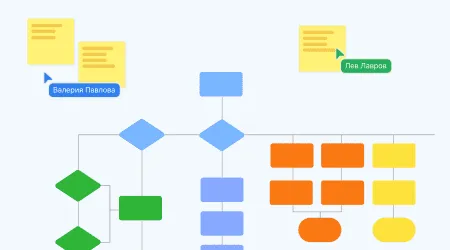
Manufacturing has long used Lean, Kanban and Scrum approaches, which require visualizing the flow of tasks, bottlenecks and deadlines. Online whiteboards (such as Miro, Trello, Notion and flip) make it possible to create a digital version of the boards that used to hang on the shop floor. Benefits:
Quickly add task cards and change their status;
Clear visibility of progress for the whole team;
Filter by shift, department or type of work;
Set up automatic notifications and deadlines;
Link tasks to documentation, drawings and technical data.
As a result, workers see what they need to do and when, foremen see the shop's workload, and managers see trends and problems. All information is centralized and accessible from a phone, tablet or computer.
Production meetings in a hybrid format
Online whiteboards are indispensable for daily production briefings, especially when some employees work remotely or on different shifts. A standard format:
Each department maintains its own task column;
Problems are marked with a color or tag (for example, “procurement,” “repairs,” “quality control”);
The meeting is run from the board: current blockers and progress are discussed briefly;
Owners and deadlines are recorded right there.
This approach cuts down on “verbal noise,” speeds up decision-making and keeps all meeting outcomes in one place. The online whiteboard becomes a living record of meetings and the hub of team communication. No matter which shop an employee works in, they are aware of all priorities and can quickly help solve problems.
Planning shifts, repairs and supplies
Online whiteboards make it easy to handle tasks that used to be managed in Excel or on paper:
Shift schedule. Create a card for each shift with the time, crew and tasks. You can mark substitutions, sick leave and overtime. Convenient for logistics specialists, foremen and HR.
Planned preventive maintenance (PPM). Create cards for equipment with the PPM schedule, dates and owners. Tasks repeat automatically, and the system reminds you of deadlines. This reduces breakdowns and improves maintenance.
Tracking supply requests. Cards contain the request details: item, quantity, deadline. Purchasing managers work right from the board, while production staff track the status: “accepted,” “in transit,” “delivered.”
In this way, an online whiteboard replaces several spreadsheets, email threads and paper logs, bringing everyone involved into a single digital space.
Benefits of whiteboards in a manufacturing environment
Online whiteboards offer a number of tangible benefits:
Centralized tasks and data. No information gets lost between departments;
Flexibility. You can adapt the structure to any project or shift;
Faster onboarding of new employees thanks to transparent processes;
Fewer errors and duplicate tasks;
Higher employee engagement — people see the results of their work and the team's goals;
Work from mobile devices — especially convenient for foremen and shift supervisors;
Integration with other systems (for example, Google Sheets, CRM, Telegram bots for notifications).
Which services to choose
The most popular tools are:
Miro — versatile for Kanban boards, meetings and visual diagrams;
Trello — handy for creating task cards and shift trackers;
Notion — combines visualization with a knowledge base and instruction templates;
flip — great for boards with graphics, plans and instructions;
ClickUp and Asana — more advanced solutions with analytics and automated reports.
The choice depends on your goals, the scale of production and the team's maturity. The main thing is to start with a simple scenario and gradually expand the system as your needs grow.
Authors

flip
Team