How to use an interactive online whiteboard for business
For business
Whiteboard
2 min read
April 5, 2025
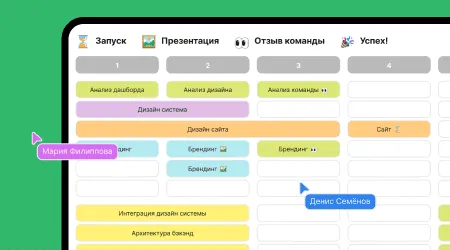
Interactive online whiteboards are digital platforms that let people collaborate in real time wherever they are. They make it possible to visualize ideas, share data and work as a team, which is especially relevant in an era of remote work and business globalization.
Contents
Who online whiteboards are for
Use cases
Features
Benefits of interactive online whiteboards
Who online whiteboards are for
Interactive online whiteboards are used by a wide range of professionals:
Executives and project managers: use whiteboards to plan, assign tasks and monitor project progress.
Business analysts: visualize data and create diagrams and charts to analyze business processes.
Marketers: develop strategic plans and create content plans.
Developers and designers: work together on prototypes, mockups and software architecture.
HR specialists: organize training and employee onboarding and run team events.
Use cases
Brainstorming and idea generation
Interactive whiteboards provide a space for discussing and capturing ideas together in real time. Participants can add notes, draw diagrams and structure their thoughts, which helps generate ideas and solutions.
Project management
With online whiteboards, you can visualize project stages, assign tasks and track their progress. Integration with other tools, such as Bitrix24, helps centralize information and improve communication within the team.
Team meetings and presentations
Online whiteboards are used for virtual meetings where participants can work on documents together, make notes and discuss ideas. This keeps meetings interactive and gets everyone involved.
Employee training and onboarding
HR specialists use interactive whiteboards to create training materials, run training sessions and track employee progress. This helps new hires settle in and current employees build their skills.
Features
Real-time collaboration: several users can make changes at the same time, keeping information in sync and up to date.
Integration with other services: connecting to tools such as Slack, Microsoft Teams, Zoom, Jira, Trello and Google Docs extends what the whiteboards can do.
Templates and visualization tools: provide ready-made layouts for different tasks, which speeds up work and makes information easier to grasp.
Change history and versions: let you track edits and roll back to previous versions when needed.
Access from different devices: gives you flexibility by letting you join the board from a computer, tablet or smartphone.
Benefits of interactive online whiteboards
Higher productivity: quick access to information and the ability to collaborate help get tasks done faster.
Better communication: visualizing processes and ideas helps team members understand each other better.
Flexibility and adaptability: the tools suit many lines of work and can be tailored to specific business needs.
Saving resources: less need for in-person meetings and paper documents reduces company costs.
Bringing interactive online whiteboards into business processes helps create a dynamic and efficient work environment that meets today's demands and challenges.
Authors

flip
Team