How to use an online whiteboard for brainstorming
For business
Whiteboard
Team
3 min read
April 14, 2025
With remote work and increasingly global teams, effective idea generation has become a key success factor. Online whiteboards offer powerful tools for brainstorming, bringing together participants from all over the world.
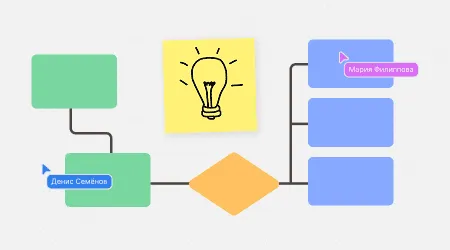
Benefits of online whiteboards for generating ideas
Accessibility and flexibility: Online whiteboards let participants join from anywhere in the world at any time, widening the range of ideas and speeding up how they are collected.
Interactivity and visualization: Tools for creating diagrams, charts and notes help people understand and analyze information better.
Real-time collaboration: Editing and commenting on materials at the same time makes it quick to exchange opinions and clarifications.
Data storage and access: All changes are saved automatically and the edit history is available, which keeps the process transparent and traceable.
Preparing for a brainstorming session
Define goals and objectives: Clearly state the problem or question that needs a solution so that participants can focus their efforts.
Choose the right online whiteboard: Look at different platforms, such as Miro, flip, Lucidspark or Mural, and pick the one that suits you best in terms of features and ease of use.
Prepare materials: Put the necessary documents, links and other resources on the board in advance so that participants can review them before the session.
Invite participants and assign roles: Send out invitations and appoint a moderator, a facilitator and other key roles to run the session effectively.
Brainstorming techniques on an online whiteboard
Mind mapping: Create visual diagrams to build a hierarchy of ideas, uncover connections between them and generate new concepts.
SCAMPER: Use this acronym to spark ideas with questions: Substitute, Combine, Adapt, Modify, Put to another use, Eliminate, Reverse.
Six Thinking Hats: Look at the problem from different perspectives (emotional, analytical, positive, negative, creative and managerial) to analyze it thoroughly and find solutions.
Crazy 8s: Generate ideas quickly by sketching eight solutions in eight minutes, which boosts creativity and speed of thinking.
Ishikawa (fishbone) diagram: Analyze cause-and-effect relationships to identify the root causes of problems and develop effective solutions.
5 Whys: Narrow down the problem step by step by asking “why?” five times to get to its root cause.
Wrapping up and processing the results
Organize the ideas: Classify the ideas you have collected and group them into categories to make analysis and decision-making easier.
Evaluate and prioritize: Use criteria such as feasibility and impact to assess the ideas and identify the most promising ones.
Draw up an action plan: Create a detailed plan for implementing the selected ideas, with tasks distributed, deadlines set and owners assigned.
Feedback and reflection: Ask participants for feedback on the brainstorming process to identify strengths and areas for improvement in the future.
Document and store the results: Record all ideas, decisions and plans on the online whiteboard to keep them transparent and easy to access later.
Practical tips for running the process
Set communication rules: Agree on norms of behavior and encourage respect and active participation from all team members.
Use a timer: Limit the time for discussing each idea or stage to keep up the pace and focus.
Design the board visually: Use color codes, icons and other visual elements to make information easier to take in and organize.
Encourage diverse opinions: Create an atmosphere where every idea is valued, however original or impractical it may seem at first glance.
Take regular breaks: Plan short pauses to prevent fatigue and keep participants highly engaged.
Test the technology: Check the online whiteboard, microphones, cameras and other equipment before the session starts to prevent technical issues.
Using online whiteboards for brainstorming brings many benefits, including flexibility, efficiency and better ideas. By following these recommendations and techniques, you can run productive sessions that foster innovation and help projects succeed.
Authors

flip
Team