How to avoid chaos on an online whiteboard with many participants
For business
Team
2 min read
April 24, 2025
Collaborating on an online whiteboard is convenient, flexible and visual. But as soon as more than 10 people are involved in a project, there is a risk of chaos: objects get duplicated, important elements get lost, and the board turns into “visual noise”. To prevent this, you need to plan the structure in advance, assign roles and introduce simple rules.
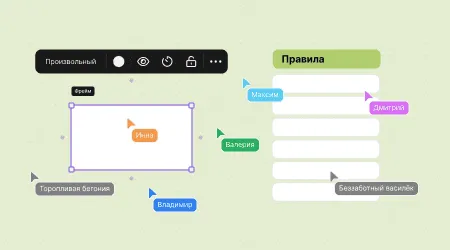
Why “chaos” happens on an online whiteboard
Online whiteboards are designed for the free exchange of ideas. But when participants work without coordination, problems arise:
dozens of elements are added at the same time with no structure;
users duplicate tasks and comments;
other people's work gets erased by accident or through carelessness;
it's hard to tell who is responsible for what;
important blocks get lost in the crowd.
All of this slows down the workflow, reduces efficiency and demotivates the team.
What the risks are with a large number of participants
When 10 or more people work on a board without a clear approach, you may face:
an overloaded interface, which makes navigation harder;
editing conflicts: someone deletes something important;
lost information, especially when people work at the same time;
blurred areas of responsibility, with no one sure who is in charge of a particular block;
lower productivity — time goes into “clearing up” the board instead of actual work.
Roles and access rights
A good board should provide for roles and permissions:
Administrator — organizes the structure and sets the rules.
Editors — make changes related to their own tasks.
Commenters — leave remarks but don't change elements.
Viewers — can only view, without editing rights.
Access rights help protect important areas of the board from accidental changes and separate areas of responsibility.
Rules for participants
Before you start working together, it's important to set simple but mandatory rules of interaction:
Use specific colors for different types of tasks.
Format each block according to a template (for example, a card: “Title – Description – Owner”).
Don't touch other people's elements without permission.
Use separate sections for drafts and final versions.
Sign the sticky notes you add so it's clear who the author is.
If everyone follows the same logic, there will be no chaos even with 100+ participants.
Tools for keeping things organized
Most online whiteboards (including flip, Miro and Mural) offer built-in features that help organize a board:
Templates — ready-made board structures for common tasks.
Layers and object groups — let you combine elements logically.
Comments and reactions to elements — provide feedback without disrupting the structure.
Object locking — protects important information from being moved accidentally.
Dividing the board into zones or frames — convenient when several teams are working on it.
It's also worth using search and the navigation panel to find the element you need quickly.
Turning a chaotic board into a productivity tool is entirely possible. The key is not to let things drift. Assign owners, distribute roles, set rules and use the platform's features. Then even a large team will work in sync, and the board will stay clean, clear and effective.
Authors

flip
Team