Mind map builders in virtual whiteboards
For business
Whiteboard
2 min read
April 17, 2025
The amount of information in today's world keeps growing, and processing it effectively requires tools that help structure data and visualize the connections between pieces of it. Mind maps are one such tool: they present information visually, making it easier to remember and analyze. As technology has developed, it has become possible to create and use mind maps in virtual whiteboards, which has greatly expanded their functionality and accessibility.
What are mind maps and why do you need them?
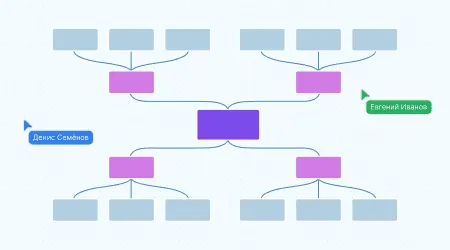
A mind map is a graphical way of presenting information: the central idea or topic sits in the middle, and related subtopics and details branch out from it. This layout lets you see the structure of the information, reveal relationships between different elements and remember things more easily.
The mind mapping method was developed by British psychologist Tony Buzan in the 1970s. Since then, the approach has spread widely across many fields:
Business: project planning, strategy development, competitor analysis.
Education: taking lecture notes, preparing for exams, structuring study material.
Creative work: brainstorming, generating ideas, writing scripts.
Benefits of using mind maps in virtual whiteboards
Moving from paper mind maps to digital versions in virtual whiteboards brings a number of benefits:
Accessibility and convenience: you can create and edit maps from anywhere in the world with an internet connection.
Collaboration: several users can work on the same map at the same time, in real time, which is especially important for distributed teams.
Integration with other tools: virtual whiteboards often support integration with calendars, tasks, documents and other apps, which makes work more efficient.
Flexibility and scalability: it's easy to make changes and add new branches and nodes without limits, and you can customize the visual design to your own preferences.
How a mind map builder works in online whiteboards
The features of mind map builders in virtual whiteboards vary from platform to platform, but the core capabilities include:
Creating a central topic: the starting point from which all branches of the map extend.
Adding nodes and subnodes: structuring information by creating linked elements.
Using color codes and icons: visually distinguishing elements to make them easier to take in.
Setting up connections between nodes: showing relationships and dependencies between different elements of the map.
Adding comments and links: enriching the map with additional information and resources.
Step-by-step guide to creating a mind map on the flip virtual whiteboard:
1
Sign up and log in to flip: go to the official flip website and create an account or log in to an existing one.
2
Create a new project: after logging in, create a new flip (board) for your project.
3
Choose a mind map template: select Mindmap in the template library.
4
Add the central idea: enter the main topic of your map in the center of the workspace.
5
Add nodes and subnodes: create linked elements that reflect the main and supporting ideas.
6
Customize the visual design: use color schemes, icons and images to make the information easier to take in.
7
Collaborate with your team: invite colleagues to edit the map together by giving them the appropriate access rights.
Using mind maps: the flip whiteboard as an example
The flip platform offers plenty of ways to create and use mind maps in various fields:
Business analysis: with flip, you can create a SWOT analysis of a company, visualizing its strengths, weaknesses, opportunities and threats.
Education: teachers and students can develop curricula and structure courses and materials, which makes learning more effective.
Creative projects: writers, screenwriters and other creative professionals can organize ideas for their work by creating detailed outlines of plots and characters.
Authors

flip
Team