How a collaborative virtual whiteboard works
Team
Whiteboard
Templates
2 min read
March 21, 2025
Virtual whiteboards have become an indispensable tool for today's remote collaboration, letting teams share ideas and work on projects together in real time.
Contents
How a virtual whiteboard works
Signing up and setting up your space
Adding members and assigning access rights
Using virtual whiteboard tools
Benefits of virtual whiteboards for collaboration
How a virtual whiteboard works
Virtual whiteboards are built on cloud technology that gives you access to your workspace over the internet. Users can make changes at the same time, and those changes sync in real time, so everyone sees up-to-date content without delays.
Signing up and setting up your space
To get started, you need to create an account on the platform. Once you sign up, you can set up your workspace: choose suitable templates and adjust the interface to your needs.
Adding members and assigning access rights
New members are invited by email or with special links. The board owner can set different access levels for members:
View: members can only view the content and can't make changes.
Edit: members can make changes and add new content.
Using virtual whiteboard tools
A virtual whiteboard offers a wide range of tools for productive collaboration:
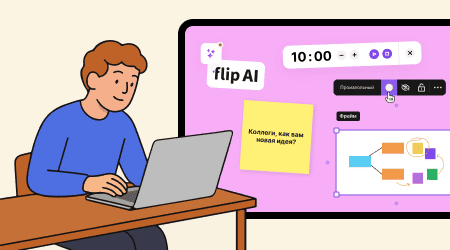
Drawing and annotations: various brushes, markers and shapes for visualizing ideas and adding notes.
File uploads: add documents, images and videos directly to the board to view and edit them together.
Timers: set time limits for specific tasks or discussions to help everyone stay on schedule.
Sticky notes and text notes: add colored sticky notes or notes to highlight important comments or ideas.
Templates: layouts for different types of projects, such as brainstorming, planning or analysis, that make it easier to organize your work.
Frames: structure content by dividing the board into sections or pages, which helps organize information and makes navigation easier.
Benefits of virtual whiteboards for collaboration
Bringing virtual whiteboards into your workflow has many benefits:
Better communication: participants share ideas openly and visually, which leads to better understanding and cooperation.
Greater efficiency: keeping information and tools in one place cuts the time spent looking for the data you need and makes collaboration easier.
Flexibility and accessibility: you can work from anywhere in the world with internet access, which is especially important for distributed teams and remote work.
Virtual whiteboards for collaboration are a powerful tool for effective teamwork and higher productivity. They help streamline processes, improve communication and keep your workflow flexible. Consider bringing virtual whiteboards into your practice to get better results from working together.
Authors

flip
Team