Visual facilitation: techniques and tips for online sessions
Team
Whiteboard
For business
2 min read
May 15, 2025
Visual facilitation of online sessions is becoming an integral part of remote work. It structures information, keeps participants active and improves the quality of decisions. Without physical whiteboards, it's important to use techniques adapted to the digital space: storyboards, color markers, visual anchors and interactive templates. These techniques make a session more dynamic and help hold attention even in long meetings.
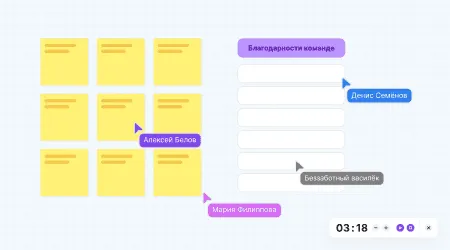
Storyboard planning: break the session into scene blocks, each with a specific task and a visual representation (cards, sketches, icons). Mark transitions between “scenes” with arrows and animation so participants can see the progress.
Visual status markers: use colored badges or sticky notes (green – done, yellow – in progress, red – blocker) right on the task cards. This helps you quickly assess the status and switch to problem areas.
Interactive templates: prepare brainstorming frameworks in advance (SWOT matrices, empathy maps, CJMs) where participants will drag their ideas. Templates speed up the process and set a common structure.
Real-time co-sketching: use the drawing tool to quickly create diagrams, charts and mind maps. Let participants add to outline drawings — this stimulates creativity and engages more people.
Digital anchors and visual tags: pin key ideas on the board with graphic markers (stars, flags, silhouettes). This helps you focus on what matters and use the anchors to return to important points.
Dynamic navigation: create clickable tables of contents or “buttons” for jumping between sections of the board. Participants can instantly move to the block they need without losing context.
Applying these techniques properly requires thoughtful preparation. Start by loading basic templates: a storyboard framework, a status panel and an area for quick sketches. Before the session, send participants a short guide to navigation and notation: what each color means, where to leave sketches and how to mark blockers.
During the meeting, the facilitator switches between “presentation” and “collaboration” modes. In the presentation phase, they show a storyboard slide describing the stages. Then they switch to interactive mode, where participants make edits, add marks and leave comments. It's just as important to leave pauses for “visual reflection”: give people time to shift their attention from the screen to the elements recorded on the board.
To boost engagement, set a time limit for each block: a visual timer or progress bar shows how much time is left for discussion. This encourages the team to make decisions quickly and reduces fatigue from endless discussions.
After the meeting, save the final facilitation map as a snapshot or PDF export. It's not just a report on the work done but a living document you can return to, add to and use as a guide for future sessions. It's also useful to add feedback on a separate layer: ask participants to note which visual techniques were most useful and which elements turned out to be unnecessary.
Visual techniques for online sessions increase productivity, improve communication and make decision-making visible. The storyboard approach sets a clear route for the meeting, visual markers help quickly identify statuses, and interactive templates ensure the same rules of the game for all participants. These techniques turn a digital whiteboard into a versatile space for creativity and effective work.
Authors

flip
Team