

flip has a light and a dark theme. The dark theme changes the look of the home page, menus, windows and flip panels, and shows the board background in a darker version. By default, “Auto” mode is on: flip picks the same theme as the one selected in your system settings
How to turn on the dark theme
Open the profile menu: on the home page, click your avatar in the top right corner; on a flip, click the counter with the arrow next to the members' avatars in the top right corner
In the “Theme” row, choose an option:
- the first button — light theme
- the second button — dark theme
- “Auto” — the same theme as in the system. If the system appearance changes, for example the dark mode turns on in the evening, flip switches along with it
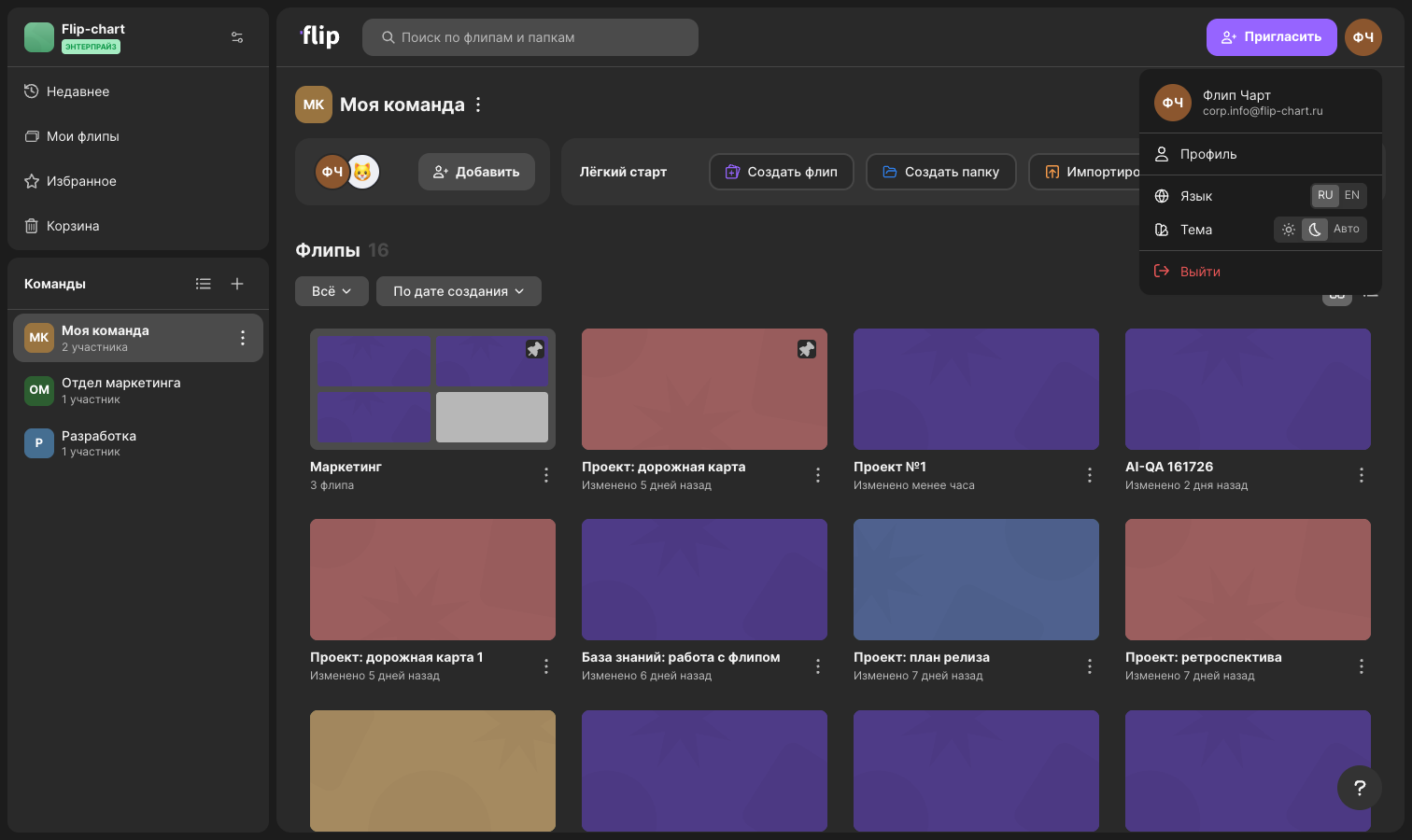
The theme changes right away, you don't need to reload the page. Your choice is remembered in this browser and applies to all its tabs with flip. In another browser or on another device, “Auto” mode is on until you choose a theme manually
How to turn on the dark theme on a phone
- Open the side menu and tap your name at the bottom — your profile opens
- In the “App settings” section, in the “Theme” row, choose the light theme, the dark theme or “Auto”
The “Language” row in the same section switches the interface language. Learn more about the app in flip mobile app
How a flip looks in the dark theme
The theme is a personal setting: it changes how flip looks only for you. Each participant sees the flip in their own theme
The flip background color is stored as a pair — for the light and for the dark theme. In the dark theme, the darker version of the selected background color is shown instead, and the dots or grid lines adjust to it. The background saved in the flip doesn't change: for a participant with the light theme it stays the same. How to choose a background is described in Background, grid, zoom and mini-map
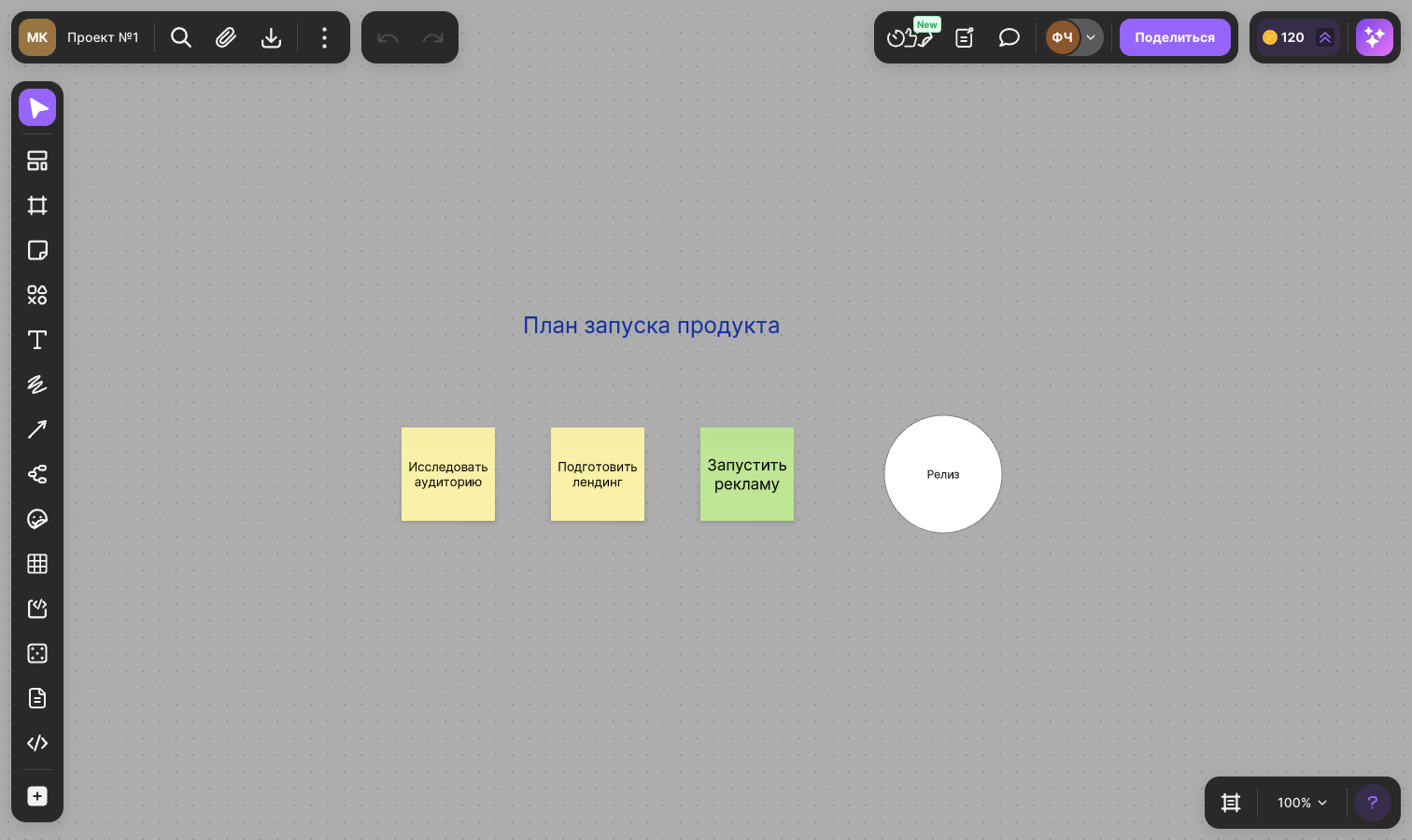
In the dark theme, new shapes and frames are created with a light gray fill instead of white
Limitations
- A flip embedded on a website is always shown in the light theme — there is no theme switch there. Learn more about embedding in How to embed a flip on a website
- The theme isn't saved in your account: choose it separately in each browser and on each device