

All your spaces are listed in the drop-down on the top toolbar. To go to a space, click its name in the list.
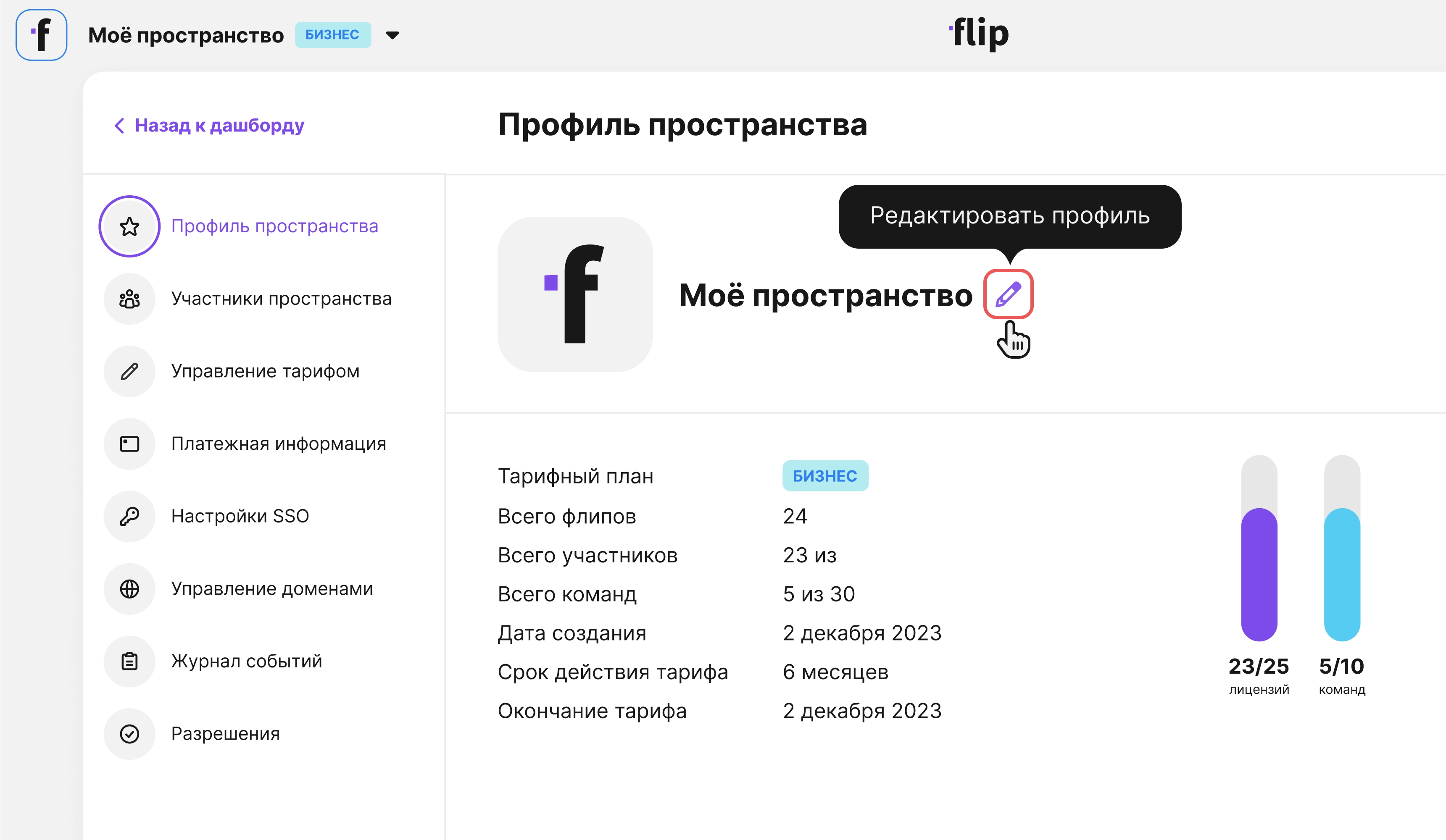
How to view space information
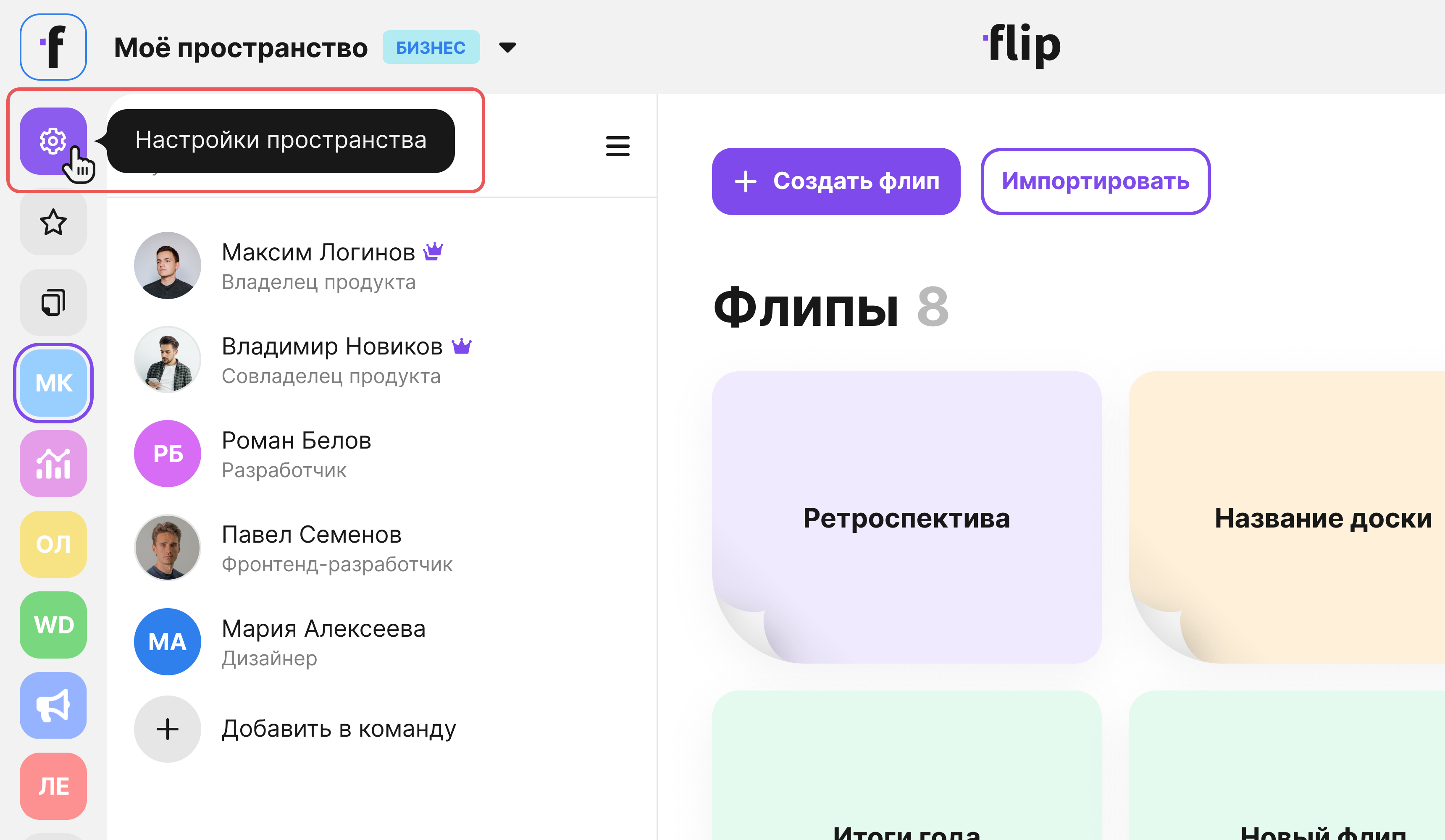
- Open Space profile from the side menu
Here you can see the plan and the number of available and created flips and members.
How to edit a space
Only the space owner can edit it — the owner is marked with a crown in the group member list.
- Open Space profile from the side menu
- Click the pencil icon
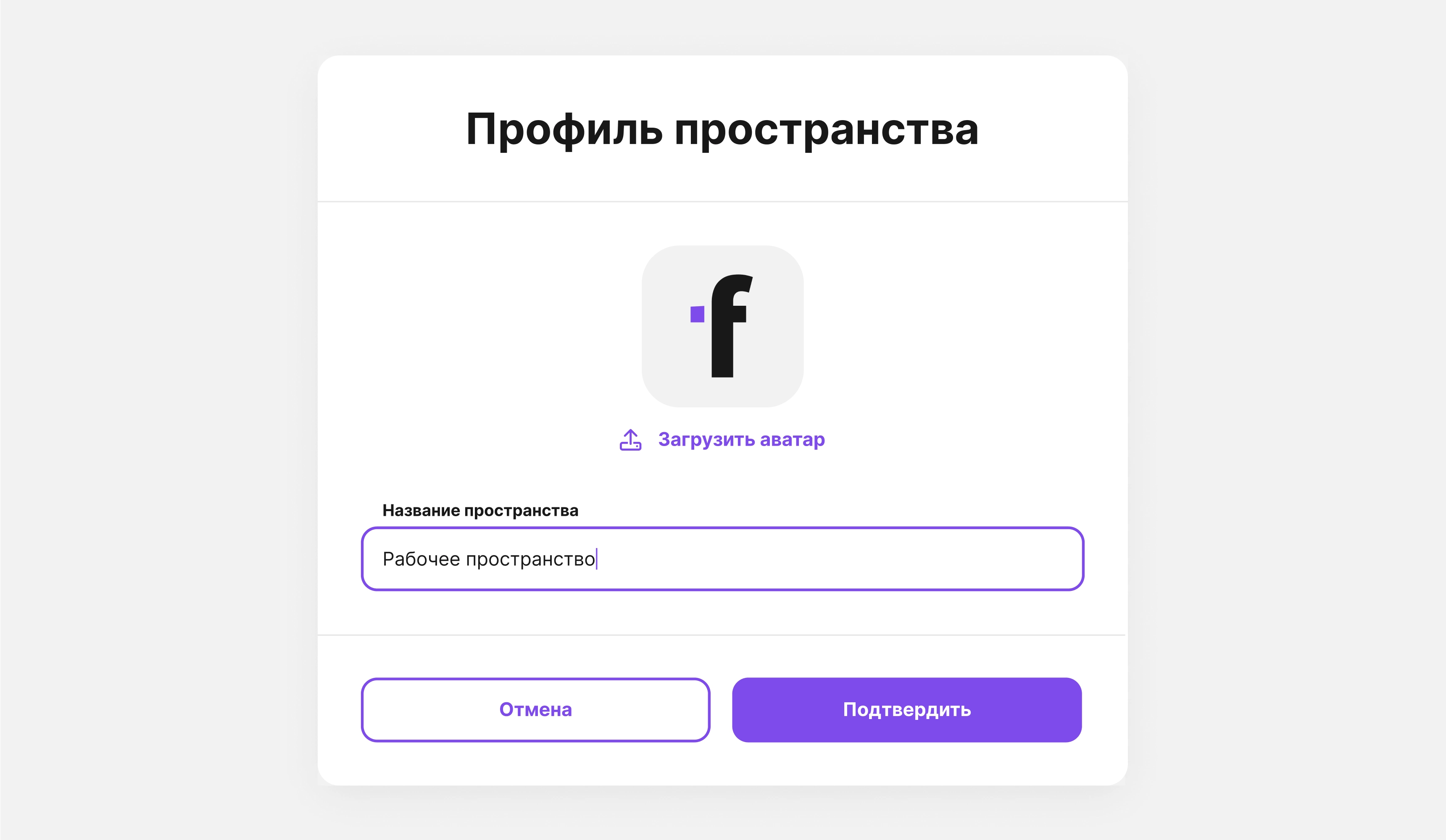
- Enter a new name and upload an avatar
- Click Confirm — your changes will be applied
You can create a team in the space, add a member to a team or invite a new user to one or more teams, and upgrade your plan if you need more features